> ## Documentation Index
> Fetch the complete documentation index at: https://docs.unblockedbrands.com/llms.txt
> Use this file to discover all available pages before exploring further.
# API keys
> Learn how API keys work with the Passport API
API keys allow you to access your Passport account programmatically and integrate wallet passes into your applications.
Each API key inherits the permissions of the user who created it, giving access to all of that user's resources.
## Creating an API key
You can create an API key by following these steps:
Go to **Settings** > **API keys**.
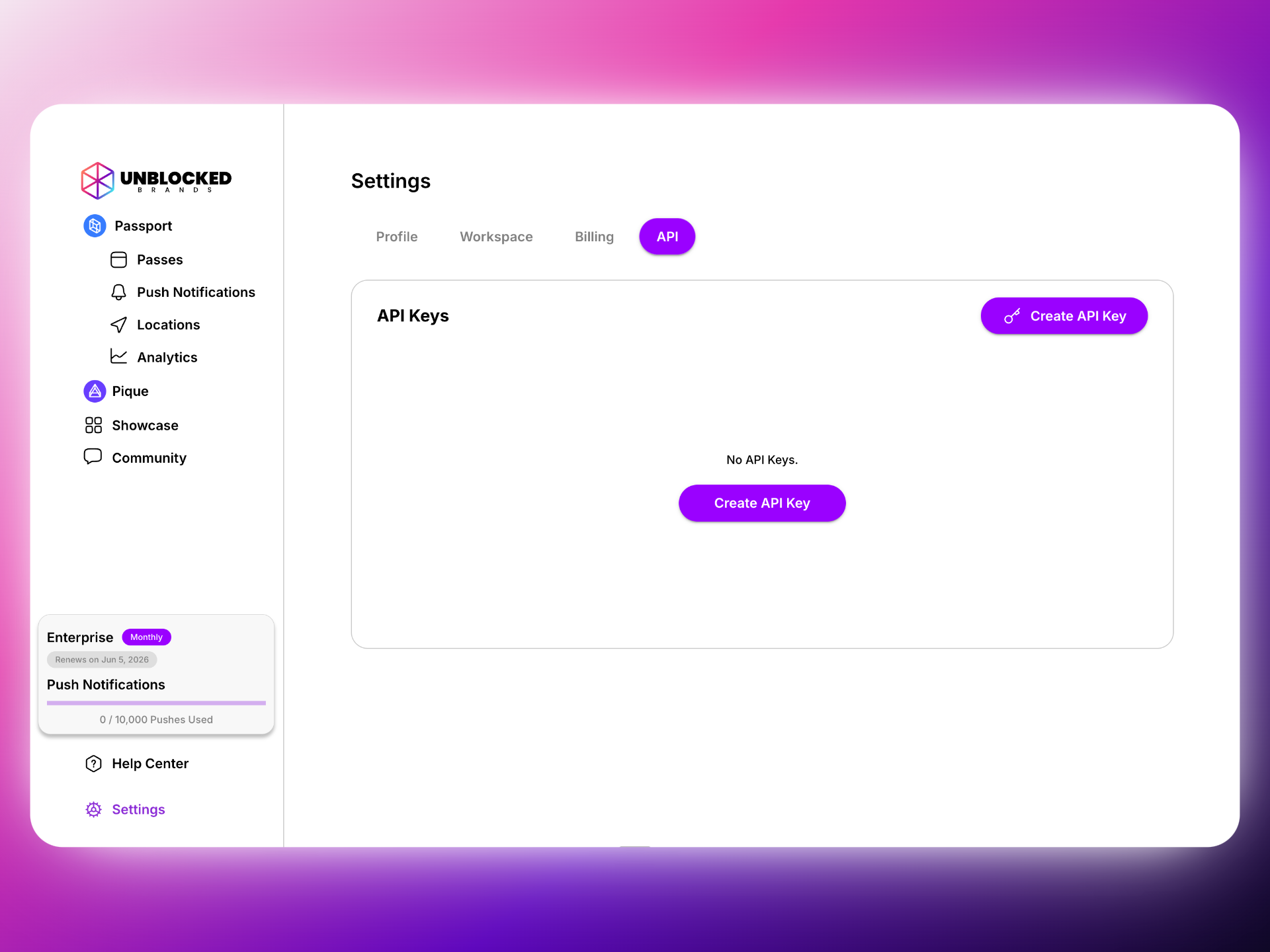 Click **"Create API key"** and give it a descriptive name.
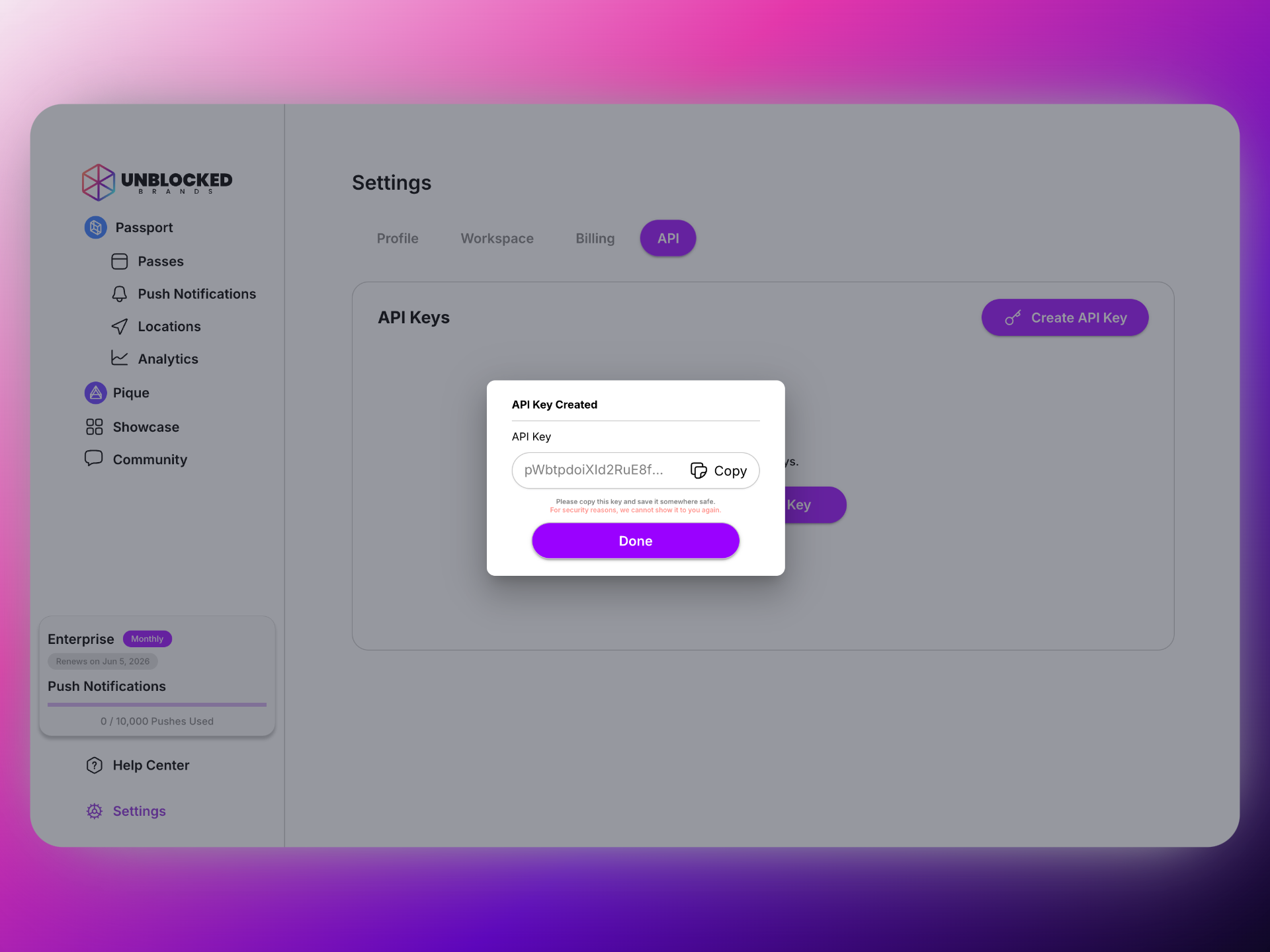
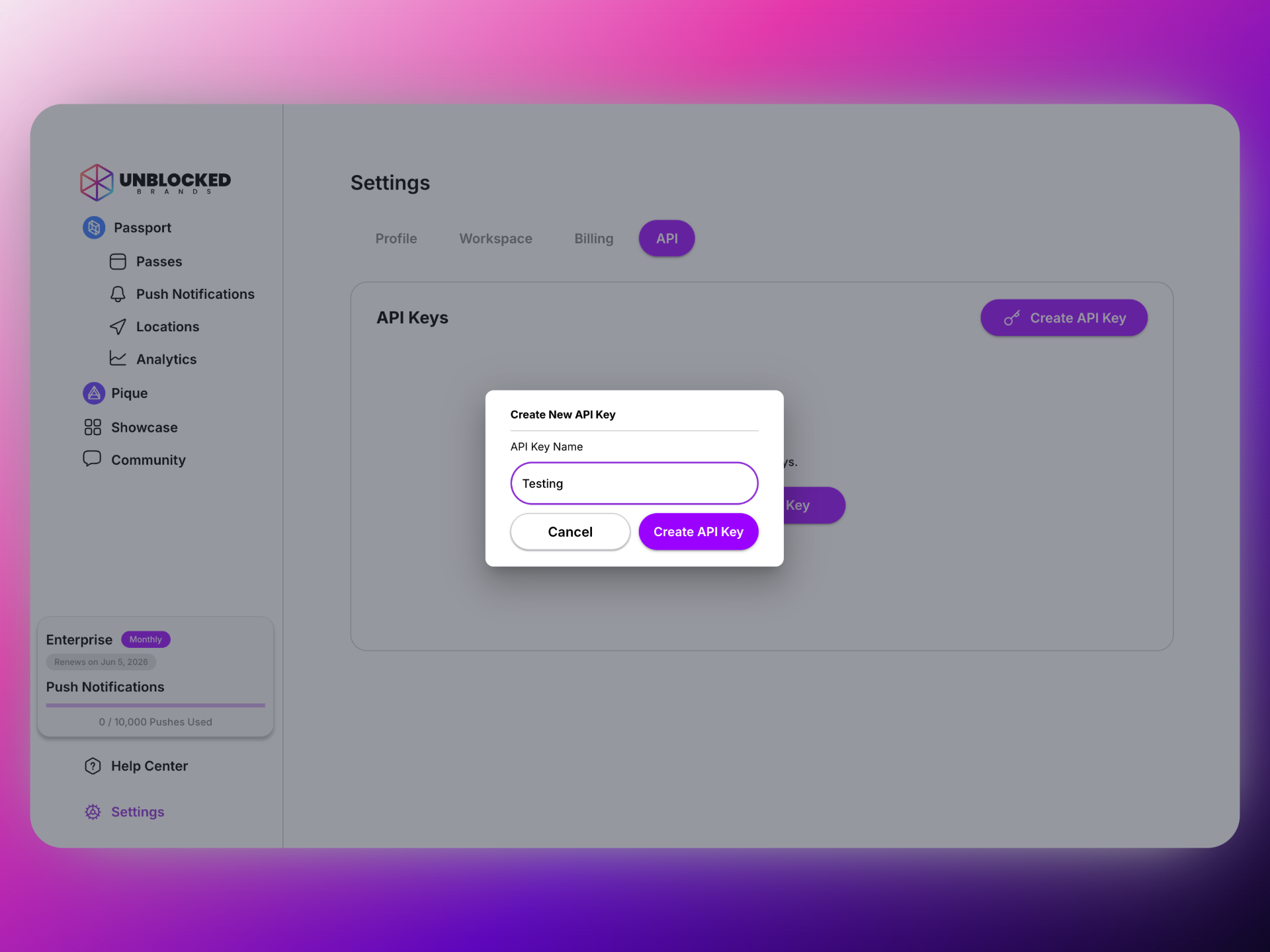 Once your API key is created, make sure to copy and store it in a safe place. You won't be able to see it again for security reasons. If it gets lost, you can create a new one.
 Your API key grants full access to your Passport account. Keep it secure and never share it publicly.
Now that you have your API key, you can use it to access your account's resources programmatically via any API request using the api-key header.
```bash theme={null}
api-key: ub_live_xxxx
```
## Example Usage
Include your API key in the `api-key` header:
```bash theme={null}
curl -X GET 'https://api.ubpass.co/v1/wallet-pass' \
-H 'api-key: YOUR_API_KEY_HERE'
```
### Example with a Real Request
```bash theme={null}
curl -X GET 'https://api.ubpass.co/v1/wallet-pass' \
-H 'api-key: ub_live_abc123xyz456...' \
-H 'Content-Type: application/json'
```
## Authentication Errors
If your API key is missing, invalid, or malformed, you'll receive authentication errors:
When no API key is provided in the request headers, you'll receive a 401 Unauthorized response indicating that authentication is required.
```json theme={null}
{
"txId": "req-xxx",
"timestamp": "2025-01-17T10:30:00Z",
"errorCode": "UNAUTHORIZED",
"errorMessage": "Authentication required"
}
```
The exact error message may vary depending on the endpoint.
When an invalid or malformed API key is provided, you'll receive a 403 Forbidden response indicating that access is denied.
```json theme={null}
{
"txId": "req-xxx",
"timestamp": "2025-01-17T10:30:00Z",
"errorCode": "FORBIDDEN",
"errorMessage": "Access denied"
}
```
The exact error message may vary depending on the endpoint.
## Best Practices
* Use environment variables in production
* Never commit API keys to version control
* Use different keys for development and production
* Rotate keys regularly for security
* API requests are rate limited to prevent abuse
* Include proper error handling for `429` responses
* Implement exponential backoff for retries
* Cache responses when possible
### Environment Setup Examples
```javascript Node.js theme={null}
// .env file
PASSPORT_API_KEY=ub_live_your_api_key_here
// app.js
const API_KEY = process.env.PASSPORT_API_KEY;
const response = await fetch('https://api.ubpass.co/v1/wallet-pass', {
headers: {
'api-key': API_KEY,
'Content-Type': 'application/json'
}
});
```
```python Python theme={null}
# .env file
PASSPORT_API_KEY=ub_live_your_api_key_here
import os
import requests
API_KEY = os.getenv('PASSPORT_API_KEY')
response = requests.get(
'https://api.ubpass.co/v1/wallet-pass',
headers={
'api-key': API_KEY,
'Content-Type': 'application/json'
}
)
```
When you remove a user from your organization (or they leave your organization), all API keys associated with that user will stop working as well. Keep this in mind when managing users.
Your API key grants full access to your Passport account. Keep it secure and never share it publicly.
Now that you have your API key, you can use it to access your account's resources programmatically via any API request using the api-key header.
```bash theme={null}
api-key: ub_live_xxxx
```
## Example Usage
Include your API key in the `api-key` header:
```bash theme={null}
curl -X GET 'https://api.ubpass.co/v1/wallet-pass' \
-H 'api-key: YOUR_API_KEY_HERE'
```
### Example with a Real Request
```bash theme={null}
curl -X GET 'https://api.ubpass.co/v1/wallet-pass' \
-H 'api-key: ub_live_abc123xyz456...' \
-H 'Content-Type: application/json'
```
## Authentication Errors
If your API key is missing, invalid, or malformed, you'll receive authentication errors:
When no API key is provided in the request headers, you'll receive a 401 Unauthorized response indicating that authentication is required.
```json theme={null}
{
"txId": "req-xxx",
"timestamp": "2025-01-17T10:30:00Z",
"errorCode": "UNAUTHORIZED",
"errorMessage": "Authentication required"
}
```
The exact error message may vary depending on the endpoint.
When an invalid or malformed API key is provided, you'll receive a 403 Forbidden response indicating that access is denied.
```json theme={null}
{
"txId": "req-xxx",
"timestamp": "2025-01-17T10:30:00Z",
"errorCode": "FORBIDDEN",
"errorMessage": "Access denied"
}
```
The exact error message may vary depending on the endpoint.
## Best Practices
* Use environment variables in production
* Never commit API keys to version control
* Use different keys for development and production
* Rotate keys regularly for security
* API requests are rate limited to prevent abuse
* Include proper error handling for `429` responses
* Implement exponential backoff for retries
* Cache responses when possible
### Environment Setup Examples
```javascript Node.js theme={null}
// .env file
PASSPORT_API_KEY=ub_live_your_api_key_here
// app.js
const API_KEY = process.env.PASSPORT_API_KEY;
const response = await fetch('https://api.ubpass.co/v1/wallet-pass', {
headers: {
'api-key': API_KEY,
'Content-Type': 'application/json'
}
});
```
```python Python theme={null}
# .env file
PASSPORT_API_KEY=ub_live_your_api_key_here
import os
import requests
API_KEY = os.getenv('PASSPORT_API_KEY')
response = requests.get(
'https://api.ubpass.co/v1/wallet-pass',
headers={
'api-key': API_KEY,
'Content-Type': 'application/json'
}
)
```
When you remove a user from your organization (or they leave your organization), all API keys associated with that user will stop working as well. Keep this in mind when managing users.